


Download video no watermark
4.63.96K Reviews
App Specs
- Version
- 2.7.0
- Updated On
- License
- Free
- Downloads
- 50,000,000+
- Developer
- ETM Video Downloader
- Categories
- Video Players & Editors
- Platform
- Android, iOS
Screenshots
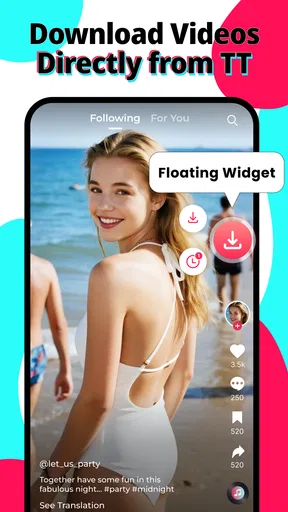
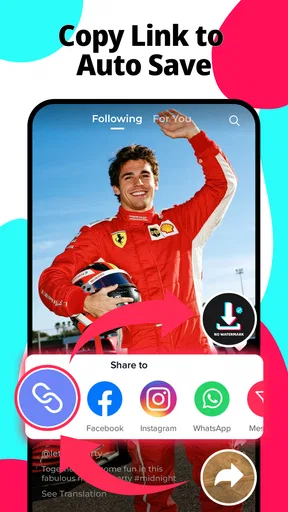
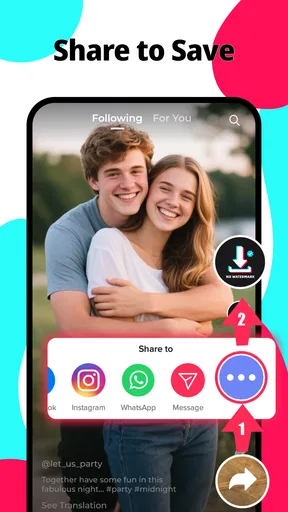
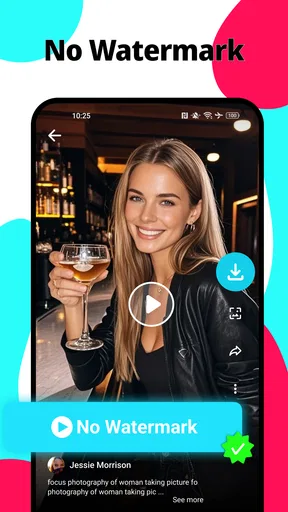
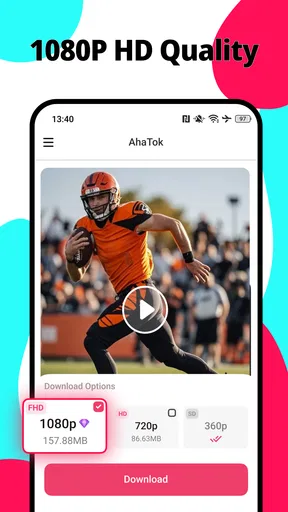
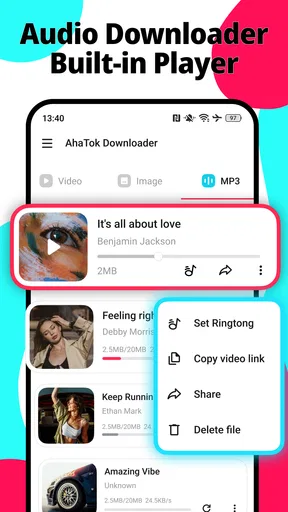
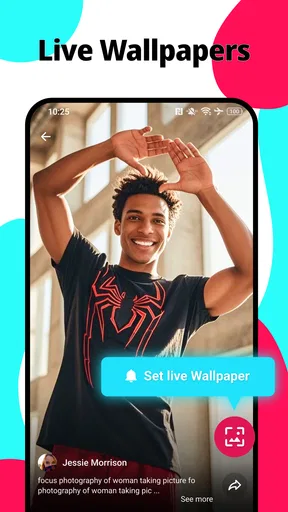
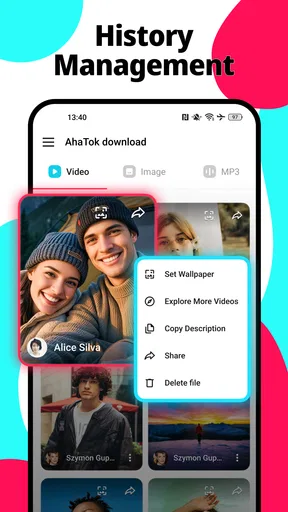
 Analysis by AppCompare
Ever stumbled upon a fantastic video online and wished you could save it without the lingering watermark? Well, fear not, because I recently discovered an app that’s got you covered. Let’s dive into the world of Download Video No Watermark and see what makes it tick.
A practical starting point
I find a downloader most useful when I have a specific clip in mind, rather than when I’m browsing without a plan. With this app, the basic routine is straightforward: copy the video’s link, open the downloader, paste it, and start the download. That makes it easy to fit into a normal social-media scroll without turning the task into a project.
A sensible habit is to check the link before you leave the source app. Make sure you have the actual video you want, not a profile or a general page, then paste it into the downloader. If the result does not look right, I would first revisit the source and copy the link again instead of repeatedly retrying the same one. That small check can save time when a platform has changed how it shares content.
For example, if a friend sends me a clip that I want to keep for an offline trip, I can save it while I still have the original post open, then play it back in the app before relying on it later. That final playback check matters: it confirms that the file opens and that I saved the intended clip, rather than discovering a problem when I have no connection.
Settings and checks worth making
The appeal here is simplicity, but I would still take a moment to look over the app’s available settings after installing it. Video tools can handle files and playback differently, so it is worth checking where saved clips are kept and whether the options suit the way you organize media. I would not assume that a downloader’s defaults match my own filing habits.
Before saving a long list of clips, try one video and inspect the result. Check that the image looks acceptable on your screen, that sound is present if the source includes it, and that you can find the file again. Testing one clip first is a more useful way to judge quality and convenience than starting a large queue and sorting out problems afterward.
The app is free to install, while in-app purchases range from $0.99 to $24.99 per item. I would use the free experience first and only consider a purchase if I had a clear reason to do so. The developer is ETM Video Downloader, and the app is rated for Everyone. Those details make it approachable to a broad audience, though I would still supervise younger users and explain that saving someone else’s video does not automatically grant permission to repost it.
Worth Reading Before You Choose

Flipboard Shows What News Apps Must Do Beyond the Feed

Switching to Android Auto Means Rethinking Your Driving Routine

Google Calendar Makes a Crowded Week Easier to Manage

Ludo King Makes the Most of the Minutes Between Plans

Baby Panda World Brings Quick Play to Modern Phones, but Its Game Library Feels Busy

ESPN’s Live Game View Makes Following Close Games Easier
Faster habits for repeat use
If I were using this regularly, I would keep the process consistent: copy the link, paste it, download, and play the result once. A repeatable sequence is less error-prone than trying to remember which clips have actually finished. When collecting several videos, I would work in small groups and verify each one before moving on; that is more practical than building a long queue and discovering that one unavailable source has interrupted the plan.
The built-in player is useful for that quick quality check. It lets me confirm the saved video without immediately switching to another app, which is handy when I’m deciding whether a clip is worth keeping. If I plan to edit a video, I would then open the saved file in a dedicated editor. A downloader’s player is for checking and watching, not a substitute for trimming, adding captions, or building a finished project.
There is also a useful distinction between saving a clip for personal offline viewing and sharing it elsewhere. A watermark-free copy may look cleaner, but removing a visible attribution can make the creator harder to identify. I would keep the source details alongside anything I save and check the creator’s terms before reposting or using a clip in a public edit.
What’s the Buzz About?
So, you’re scrolling through your favorite social media platform and bam! There’s a video you’re dying to save and share. That’s where the Download Video No Watermark app comes into play. It promises to help you download videos sans the pesky watermarks that often spoil the fun. I decided to put this app to the test to see if it lives up to the hype.
Getting Started
First things first, downloading the app was a breeze. Available on both Android and iOS, it’s just a quick search and tap away on your device’s app store. Once installed, the interface is refreshingly simple. No convoluted menus or excessive ads to wade through. Just straightforward functionality that gets you straight to business.
On launching the app, you’re greeted with a clean, intuitive interface. It’s designed to be user-friendly, which is a big win for those of us who aren’t tech wizards. You simply paste the link of the video you want to download, hit the download button, and voilà! The app does the rest.
Features That Stand Out
Now, let’s talk about what makes this app a potential game-changer. Firstly, the quality of downloads is impressive. Whether it’s a high-resolution clip or a quick meme, this app retains the original quality, which is a huge plus.
- Fast Download Speeds: Nobody likes waiting around, and this app delivers your downloads in a snap.
- Multiple Formats: Whether you want MP4 or any other format, this app has got your back.
- Batch Downloading: Got more than one video in mind? The app allows you to queue them up, saving you time and effort.
Another notable feature is the built-in video player. After downloading, you can view your videos directly within the app, making it easier to check that everything downloaded perfectly before sharing or storing them elsewhere.
Real-Life Performance
So, how does it perform in real-world scenarios? I tried downloading videos from various platforms and the app handled them like a champ. It supports a range of sites, so whether you’re pulling a funny video from TikTok or an insightful clip from Instagram, you’re covered.
One thing to note, though, is that depending on the platform, some videos may have restrictions that prevent downloading. But for the most part, I found the app to be versatile and reliable.
Where it fits—and where it doesn’t
This is a focused tool in the video player and editor space, but its main job is saving clips, not creating polished videos. It suits people who want a simple way to keep accessible videos for personal viewing, reference, or later inspiration. The app is free, runs on Android 8.0 or later, and has reached over 10 million installs. Its 4.5 average rating from around 650,000 ratings suggests many people find the basic idea useful, while the roughly 3,700 written reviews offer a smaller set of detailed user experiences.
Compared with a platform’s own save or bookmark button, downloading can be more convenient when you want a file available offline rather than a post that remains inside an account. But bookmarks are often the better choice if you only need to find a post again; they avoid filling your device with copies and keep the source attached. A dedicated video editor is the better alternative when the goal is to alter a clip, add context, or publish a finished piece.
I would skip this kind of downloader if I mainly want to watch videos inside the original social app, if I need dependable access to private or restricted posts, or if my goal is professional editing. Platform restrictions can prevent a download, and no simple link-based workflow can make every source available. The practical question is whether I need an offline copy badly enough to manage another file on my device.
Limits and sensible expectations
Link-based downloading depends on the source behaving in a way the app can handle. A video may be blocked, removed, private, or otherwise unavailable, so a failed attempt does not necessarily mean the downloader itself is broken. I would avoid repeatedly trying the same inaccessible post; checking whether it still plays in its original location is a better first step.
Watermark-free saving also comes with a responsibility that is easy to overlook. If the point of a watermark is to show who made a video, removing it can obscure authorship. For personal offline viewing, that may simply be a cleaner way to watch, but for reposting or editing, I would preserve attribution and respect the creator’s permission and platform rules. The ability to save a file should not be mistaken for permission to redistribute it.
The app is currently at version 1.50.2. As with any downloader, I would keep my expectations tied to the specific link and platform rather than assume every clip will work identically. The most reliable routine is modest: save only videos I genuinely need, confirm each finished file in the player, and remove unwanted copies instead of letting a collection grow without purpose.
The Verdict
In conclusion, Download Video No Watermark is a nifty tool for anyone looking to save videos without the hassle of watermarks. Its ease of use, combined with fast downloads and high-quality results, makes it a must-have for video lovers everywhere. Sure, there may be occasional hiccups with certain platforms, but given the overall performance, it’s a minor trade-off.
If you’re on the hunt for a reliable video downloader, give this app a whirl. It might just become your new go-to app for snagging those must-have clips. So, grab your phone and start downloading – watermark-free!
My mastery verdict
For me, the best way to use it is as a small, purposeful part of a video routine: capture a link while the post is open, save a clip only when offline access will help, and check the result before closing the source. That approach gets more value from the straightforward workflow without treating every passing video as something worth keeping.
Overall, I’d recommend it to someone who regularly needs personal offline copies and is comfortable checking links and managing saved files. If you rarely need downloads, platform bookmarks are simpler; if you need to make edits, a proper editor is more suitable. Used with those limits in mind, this app can be a handy utility rather than an all-purpose video solution.
Pros
- Easy to use interface for quick downloads.
- Supports multiple video formats seamlessly.
- Fast download speeds enhance user experience.
- No login required
- ensuring privacy.
- Compatible with both Android and iOS devices.
Cons
- Contains occasional pop-up ads.
- Limited features in the free version.
- Some formats may not support HD quality.
- In-app purchases can be pricey.
- Not available in all regions.
FAQs for Download video no watermark
What is 'Download Video No Watermark' app used for?
The 'Download Video No Watermark' app is designed to help users download videos from various platforms without the annoying watermarks that often accompany them. This is particularly useful for those who want to save, share, or use the content for personal or professional purposes without any branding interruptions.
Is the 'Download Video No Watermark' app available for both Android and iOS?
Yes, the 'Download Video No Watermark' app is available for both Android and iOS devices. Users can download the app from the Google Play Store or Apple App Store, ensuring compatibility with their respective platforms and providing a seamless experience for all users.
Does the app maintain video quality during downloads?
Absolutely, the app is designed to preserve the original video quality during downloads. Users can expect to receive videos in the same resolution and clarity as they appear on the original platform, whether that be HD, Full HD, or 4K, without any degradation in quality.
Are there any limitations on the number of videos I can download?
The app allows users to download an unlimited number of videos. However, depending on the version (free or premium), there might be differences in download speeds or access to additional features. The premium version typically offers faster downloads and more capabilities.
Is it legal to download videos using this app?
The legality of downloading videos depends on the terms of service of the original platform and your intended use of the content. It's advised to only download videos for personal use and ensure compliance with copyright laws and platform policies to avoid any legal issues.


